

Calendar export
Start from a race weekend, choose the session context, and move it into your calendar.
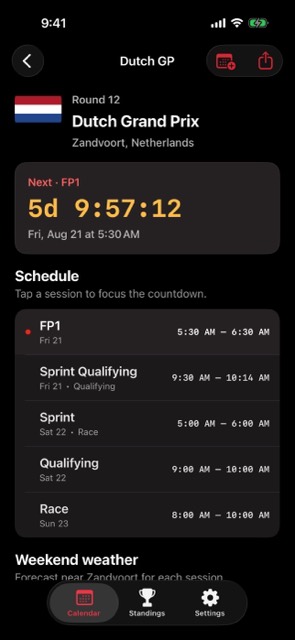
Add Formula 1 sessions to your calendar from a focused iPhone app built around race weekends, local timing, and session detail.
Move race weekends from the app into the calendar you already use.
Start from a race weekend, choose the session context, and move it into your calendar.
Use the app for fast schedule lookup before adding the sessions you want to keep.
Race weekends stay separate from generic sports feeds, making the export decision cleaner.
Free calendar subscription
Choose a whole season or one race weekend, select the sessions you follow, and add native calendar alerts. Subscribed feeds refresh automatically when race times change.
Your live subscription
https://racecalendar.app/f1/2026/calendar.ics
Calendar providers control their own refresh timing, so a race-time change can take several hours to appear. If a provider handoff does not open, copy the subscription URL and use its “subscribe from URL” option.
The iPhone app adds session countdowns, race-weekend detail, standings, results, and Home Screen widgets.
Get F1 Race CalendarThe web subscription builder creates a feed around the sessions and reminder lead time you choose.
Include practice, qualifying, sprint, and race sessions—or keep only the sessions you normally watch.
Select the alert lead time that should be written into each subscribed event.
Open Apple Calendar, Google Calendar, or Outlook, use webcal, or download the season ICS file.
The website feed is free and does not require an account or app install. Events are published in UTC for calendar portability, and the calendar app displays them in its selected timezone. The iPhone app can also export a single round to Apple Calendar.
Calendar export starts from round detail, where the schedule is already organized by Grand Prix weekend and session type.
Export the sessions you care about and let your normal calendar carry the reminders.
Keep overseas races from sneaking up because the start time moved across timezones.
Plan watch parties, travel, or weekend errands around the race instead of around search results.
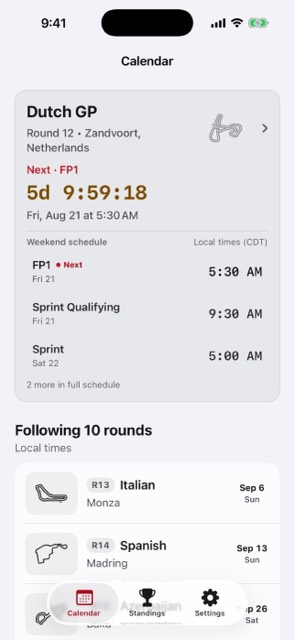
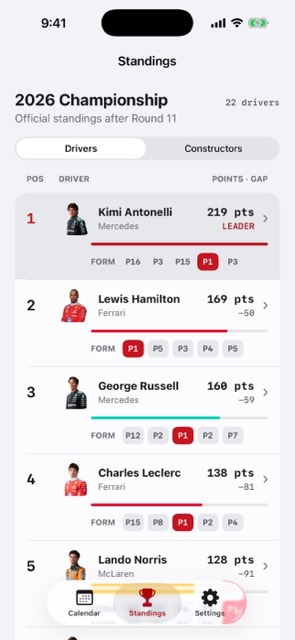
The app includes calendar export flows from race weekend detail, so sessions can move into your normal calendar.
The app presents sessions in local time, which makes overseas Grand Prix weekends easier to plan around.