

Session timeline
Race weekends are organized as a session timeline so the next meaningful start time is easy to find.
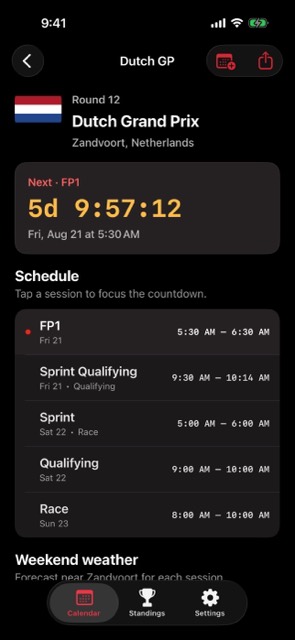
A race-weekend companion for Formula 1 fans who want every session time, round detail, and race context on iPhone.
One screen for the Grand Prix you are watching now.
Race weekends are organized as a session timeline so the next meaningful start time is easy to find.
Round detail keeps the circuit, country, and session list together for the Grand Prix you are watching.
Finished weekends move naturally into result and recap mode instead of looking like upcoming events.
Use the season view to move straight into the Grand Prix you plan to watch.
Open the current season and find the next highlighted Grand Prix weekend.
Review practice, qualifying, sprint, and race sessions in one ordered timeline.
Add the weekend to Apple Calendar or return after the race for its result and recap.
Session times use the iPhone timezone. Schedule changes, cancellations, and completed states come from the same schedule contract used by the website.
Open the round detail when the weekend starts and keep the full sequence in view. The screen is designed for repeated checks, not long-form reading.
Use a single weekend screen for practice, qualifying, sprint, and the race.
Check the next session without sorting through full-season tables.
Stay oriented when sprint formats, late sessions, or timezone shifts make the weekend harder to follow.
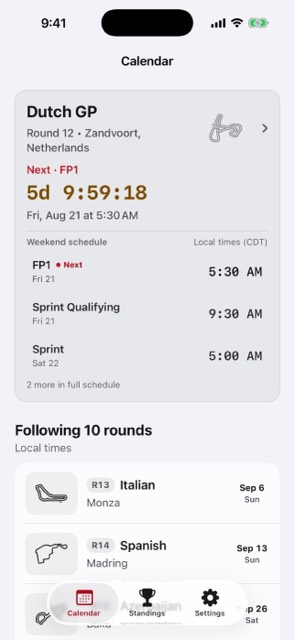
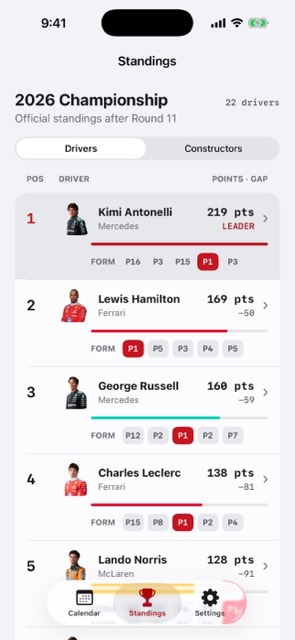
Yes. Race weekend pages separate each session so practice, qualifying, sprint, and race timing stay clear.
Finished and cancelled rounds use visual treatment that makes it easier to scan what is still ahead.